How to Set Up QR Code Batch Tracking for Fermented Foods: Step‑by‑Step Guide to Traceability, Quality Control, and Compliance
Introduction
In the growing market for artisanal fermented products, traceability has become a critical component of quality assurance and regulatory compliance. This guide will teach the reader how to establish a reliable QR code batch tracking system that records every stage of production, from inoculation to packaging. By following the instructions, one will be able to monitor temperature, pH, and fermentation time while providing consumers with transparent information. The result is a robust documentation process that supports product safety, brand reputation, and legal requirements.
What You’ll Need
- Programmable QR code labels (recommended: Openscreen QR Code Labels Pack)
- Smartphone with a camera and internet access
- Cloud‑based spreadsheet or database (Google Sheets, Airtable, etc.)
- Water‑proof marker for manual notes
- Label dispenser or scissors
- Cleaning supplies for containers
Step 1: Define Tracking Parameters
The first step is to decide which data points are essential for each fermentation batch. Typical parameters include batch number, start date, inoculum strain, salt concentration, temperature range, and expected finish date. One should also consider regulatory fields such as lot code, best‑before date, and allergen statements. Document these fields in a spreadsheet template before generating any QR codes. By establishing a consistent schema, the later data entry process becomes streamlined and error‑free.
Step 2: Create and Program QR Code Labels
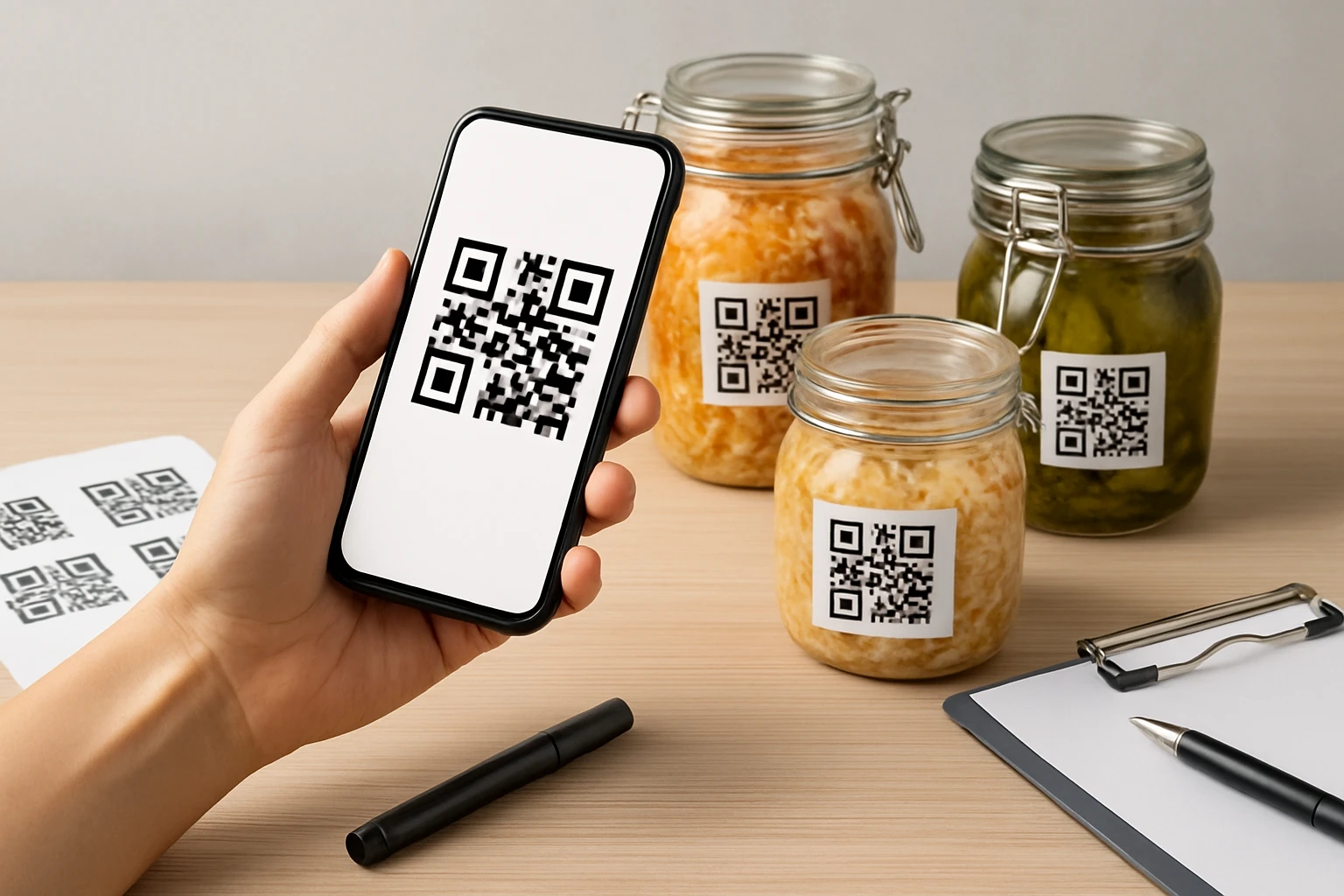
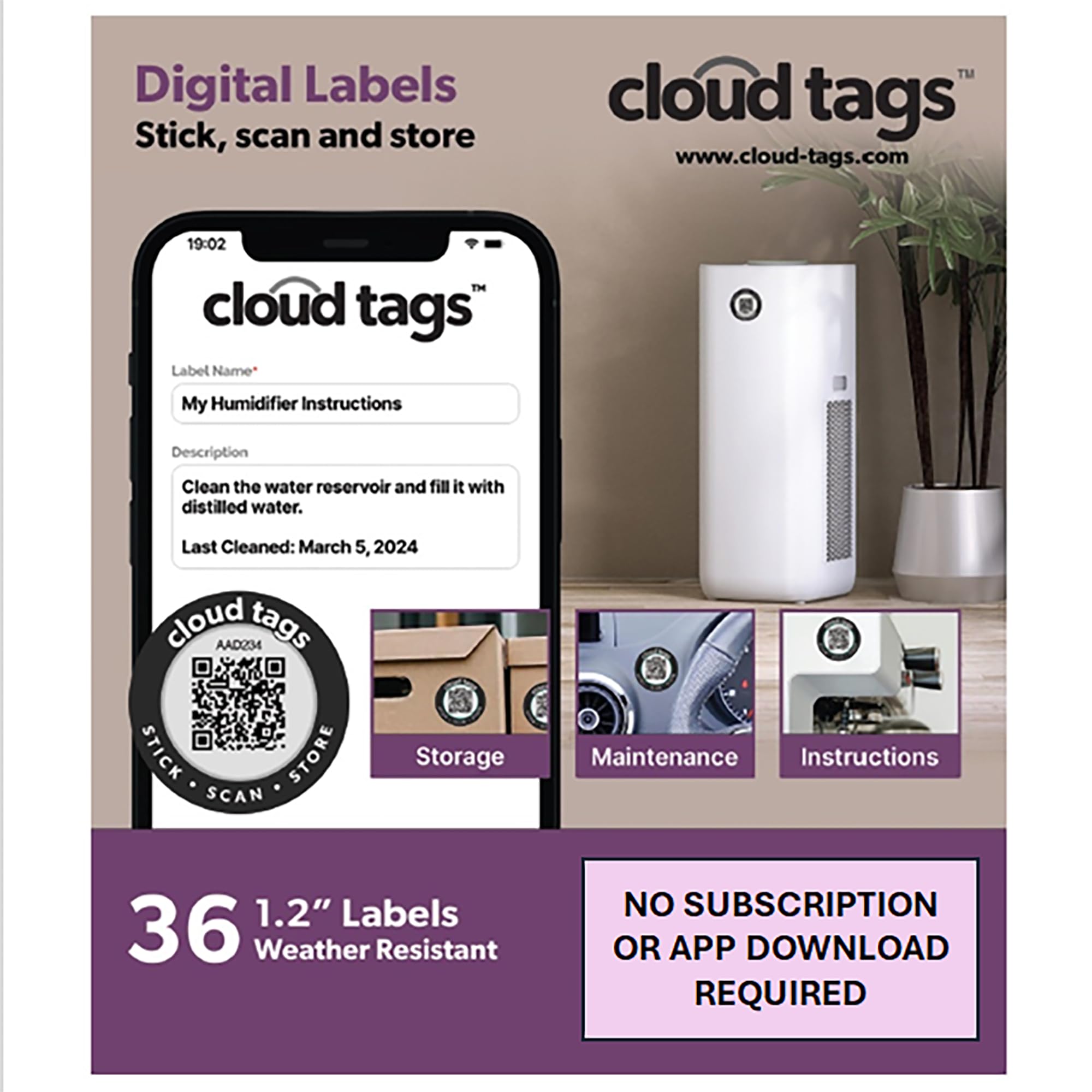
Using programmable QR code stickers simplifies the process of linking physical containers to digital records. The Openscreen QR Code Labels Pack provides 36 waterproof stickers that can be programmed without installing an app, which saves time for small‑scale producers. Each label costs approximately $12.99 and holds a 4.3/5 rating based on 55 reviews, indicating reliable performance. To program a label, scan it with a smartphone camera, follow the on‑screen prompts to enter the batch URL, and optionally set a four‑digit passcode for security. The cloud‑based nature of these tags ensures that the information persists indefinitely without a subscription, making them ideal for long‑term traceability.
Step 3: Attach Labels to Fermentation Vessels
Before sealing any container, clean and dry the surface to guarantee optimal adhesion of the waterproof stickers. Place one QR code label on each lid or side of the vessel where it will be easily visible during routine checks. The waterproof property of the Openscreen tags protects the code from condensation and accidental splashes, which are common in fermentation environments. Use a label dispenser or scissors to cut the stickers to the appropriate size if necessary. Ensure that the label does not cover any safety warnings or pressure‑release valves.
Step 4: Populate the Cloud Database
After the label is attached, open the cloud spreadsheet and create a new row for the batch. Paste the unique URL generated during the programming step into the appropriate column. Fill in the predefined parameters such as inoculum strain, salt ratio, and target temperature. Because the QR code links directly to this row, anyone scanning the label can view real‑time data without needing separate login credentials. This transparency supports internal audits and allows distributors to verify product provenance instantly.
Step 5: Monitor Fermentation and Update Records
Throughout the fermentation period, conduct regular measurements of pH, temperature, and aroma development. Record each observation by scanning the QR code and adding a new entry to the cloud database. The ability to update the tag without an app means that a simple phone camera suffices, even for workers on the production floor. If a deviation occurs, the passcode protection prevents unauthorized changes while still allowing the designated manager to edit the record. Maintaining a chronological log facilitates root‑cause analysis if a batch fails quality standards.
Tips & Pro Tips
- Standardize label placement on all containers to avoid confusion during inspections.
- Use a dedicated smartphone or tablet for scanning to keep battery life available during long fermentation cycles.
- Back up the cloud spreadsheet daily to a secondary storage service to prevent data loss.
- Consider color‑coding labels by fermentation stage (e.g., green for active, yellow for nearing completion) for quick visual cues.
- When working with high‑acid or high‑alcohol batches, verify that the waterproof claim of the QR code stickers holds after prolonged exposure.
Troubleshooting
Problem: QR code does not scan after several weeks.
Solution: Clean the label surface gently with a damp cloth to remove residue; if the code remains unreadable, replace the sticker with a fresh one from the pack.
Problem: Data appears outdated when scanned.
Solution: Ensure that the smartphone is connected to the internet; the cloud tag requires an online connection to fetch the latest record.
Conclusion
Implementing QR code batch tracking for fermented foods enhances traceability, improves quality control, and satisfies compliance requirements. By defining clear parameters, programming reliable waterproof stickers, and maintaining an up‑to‑date cloud database, producers can safeguard their products and build consumer trust. The recommended Openscreen QR Code Labels Pack provides a cost‑effective, app‑free solution that integrates seamlessly into small‑scale operations. One should continue to refine the system based on feedback and regulatory updates to remain competitive in the evolving market.
Products Mentioned in This Guide

Frequently Asked Questions
What equipment is required to start QR code batch tracking for fermented foods?
You need programmable QR code labels, a smartphone, a cloud‑based spreadsheet or database, a waterproof marker, and a label dispenser or scissors.
How does a QR code improve traceability during fermentation?
Scanning the QR code logs each production step—temperature, pH, and time—creating a digital record that can be accessed instantly.
Can I use free tools like Google Sheets for batch tracking?
Yes, cloud‑based spreadsheets such as Google Sheets or Airtable can store QR‑linked data and be shared with team members.
What safety or compliance benefits does QR code tracking provide?
It ensures accurate documentation for regulatory audits, helps identify contamination sources quickly, and supports product recall if needed.
How often should I scan the QR code throughout the fermentation process?
Scan at key stages—initial inoculation, mid‑fermentation checks, and final packaging—to capture critical data points without overburdening workflow.